Mastered the Dock? Now Race the Quarter Mile

Green Light, Full Send: Racing The Drag Car Racer
Docking a boat is all about patience: slow inputs, reading the wind, and easing in. The Drag Car Racer is the opposite. A whole race is over in about 12 seconds, and most of it is decided in the first 60 feet.

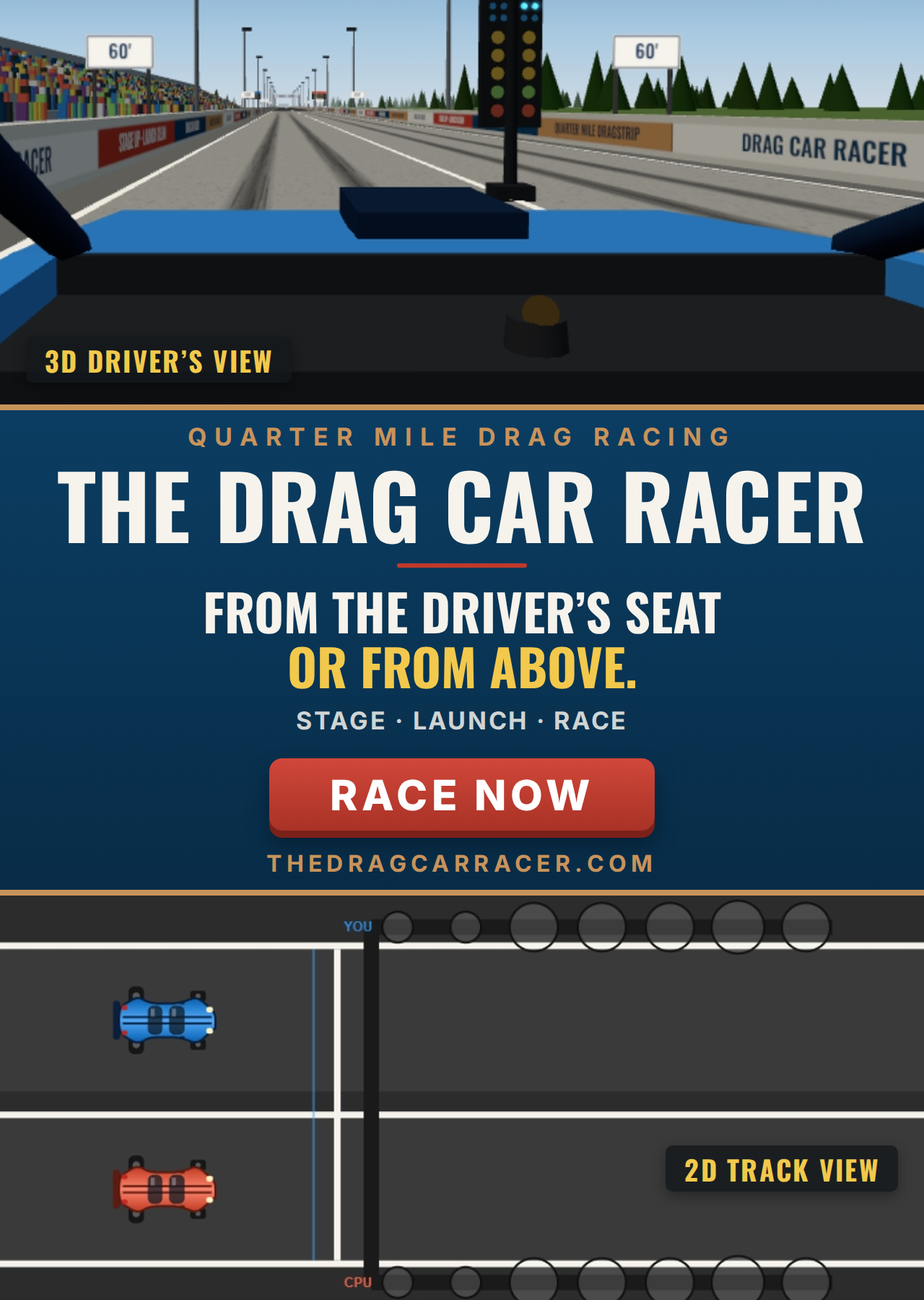
It’s a free quarter-mile drag racing simulator from the team behind The Boat Docker, and it runs in your browser with nothing to install. You stage on a real two-lane Christmas tree, wait for the green, launch, shift a five-speed manual, and race another car to the stripe. Then you get a real time slip that shows exactly where you gained or lost time.

Two ways to race

You choose how you race on the start page, along with your car’s class.

Heads-up is the classic drag race. Both cars get the green at the same moment, and the first to the stripe wins. Your first three clean runs in a class are against a CPU driver. After that, the other lane becomes Your 3rd Best: a replay of the third-quickest pass on your own leaderboard, with that run’s exact reaction time and finishing time. Beat it, and the bar moves up for the next run.
Bracket racing is how most amateur drag racers actually compete, and it’s new. Before each run you set a dial-in, the time you predict you’ll run. The CPU dials in too, and the slower car gets the green first, by the difference between the two dials. If you both run your numbers, you meet at the stripe.

The catch is the breakout rule. Run quicker than your dial-in and you lose, even if you got there first. If both cars break out, the one that broke out by less wins. That turns the race into a test of consistency, not raw speed. The game suggests a dial-in from your last three runs, and keeps a board of your best “packages”: your reaction time plus how far over your dial you ran.

A real time slip after every run

At a real dragstrip, you pick up a time slip at the booth after every pass. The Drag Car Racer hands you one too, for both lanes:

On the slipWhat it tells you
R/T (reaction time)How quickly you left after your green.
60-footYour launch. A slow 60-foot means you were late to full throttle.
330-foot, 1/8 mile, 1,000-footHow the run built, and where it fell off.
1/4-mile ETThe time from leaving the line to the stripe.
Trap speed (MPH)Your average speed over the last 66 feet, as a real speed trap measures it.

In bracket mode the slip also shows your dial-in, how far over it you ran, and your package. Times are measured to the thousandth of a second, and reaction time is timed to the millisecond from the moment you hit the gas. A slow ET with a normal trap speed means you lost time at the start. A low trap speed usually means a missed shift.

Driving it right is what makes you quick

There are three classes, set by power-to-weight like real NHRA Stock classes. Flat out with good shifts, they run about:

ClassPower-to-weightQuarter mile
A/Stock7.00-7.49 lb/hpabout 10.9 s at 122 mph
B/Stock8.50-8.99 lb/hpabout 11.6 s at 114 mph
C/Stock10.00+ lb/hpabout 12.4 s at 105 mph

Getting near those numbers takes the same skills as at a real track:

  • Stage, then lift. Roll forward until both blue staging bulbs light, then get completely off the gas. Touching it again before your green is a red light, and so is never lifting at all.
  • Go on green. Heads-up races use a Pro tree: all three ambers flash together and the green comes 0.4 seconds later. Bracket races use the full tree, with the ambers counting down half a second apart.
  • Launch hard. The throttle goes straight to wherever you press when you leave the line, so the keyboard, the mouse and a controller all launch the same way. A burnout before you stage gives a little extra grip off the line.
  • Shift on the light. The engine makes peak power at 5,300 RPM, but the quickest shift is a little past that, at about 5,600 RPM, where the amber shift light comes on. Shifting at the power peak or riding the 6,000 RPM limiter each costs about a tenth of a second.

The timing is fair on every computer, too. The race runs on its own clock, so a busy machine or a dropped frame doesn’t cost you time. Switch away from the tab mid-run and the run simply stops, with nothing recorded.

From the driver’s seat, or from above

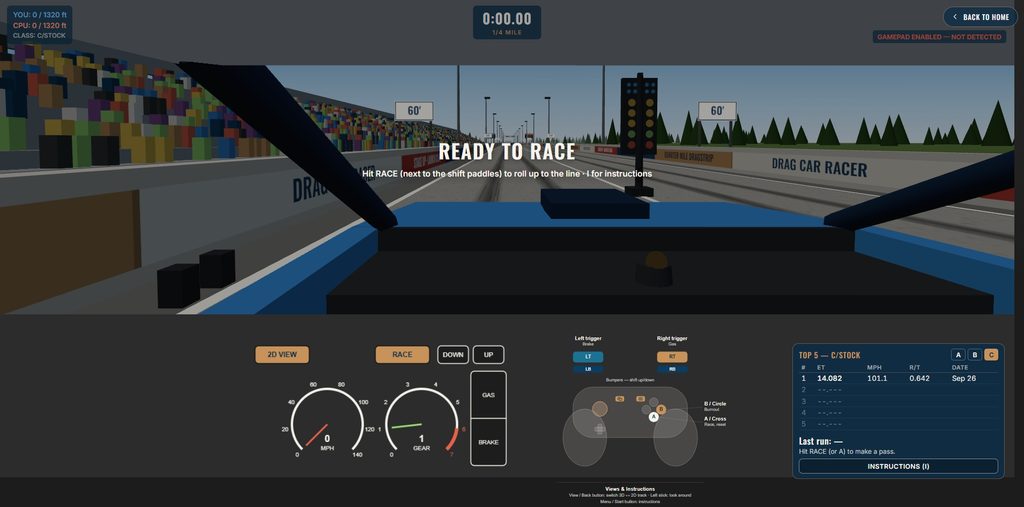
Every race opens in the 3D driver’s view. You sit in the left-hand seat with the hood, the dash and the shift light in front of you, the tree ahead, and grandstands, distance boards and scoreboards along the strip. The car squats on launch and kicks on every upshift. Tap the left or right arrow to look out the side window at the other lane.

Press H to switch to the 2D track view, which shows the whole quarter mile at once and is easier for learning the tree. The 2D tachometer has an amber band at the shift point, so you can shift by eye there too.

You can drive with the keyboard (Up or W for gas, ] or E to shift up), the on-screen pedals and paddles, or a game controller (right trigger for gas, bumpers to shift). Your best runs are saved in your browser on a top-5 board for each class.

Your first run

  1. Open The Drag Car Racer, pick C/Stock and Heads-up, and hit Race.
  2. Do a burnout (B), then roll forward until both blue bulbs light, and lift.
  3. Go the instant you see green, and upshift every time the amber shift light comes on.
  4. Read your time slip, then do it again. Once you’re running within a tenth or two of the same time every pass, try bracket racing.

If you want to read up first, the site has a complete guide and articles on the Christmas tree, reaction time, time slips, shift points and bracket racing.

And when you’re ready to slow back down, the boats will be right where you left them.

Stage up, watch the tree, and send it. No download required.

Please email your questions or comments to theboatdocker@gmail.com
Pass It Before You Take It: The Driver Tester, Now in 3D

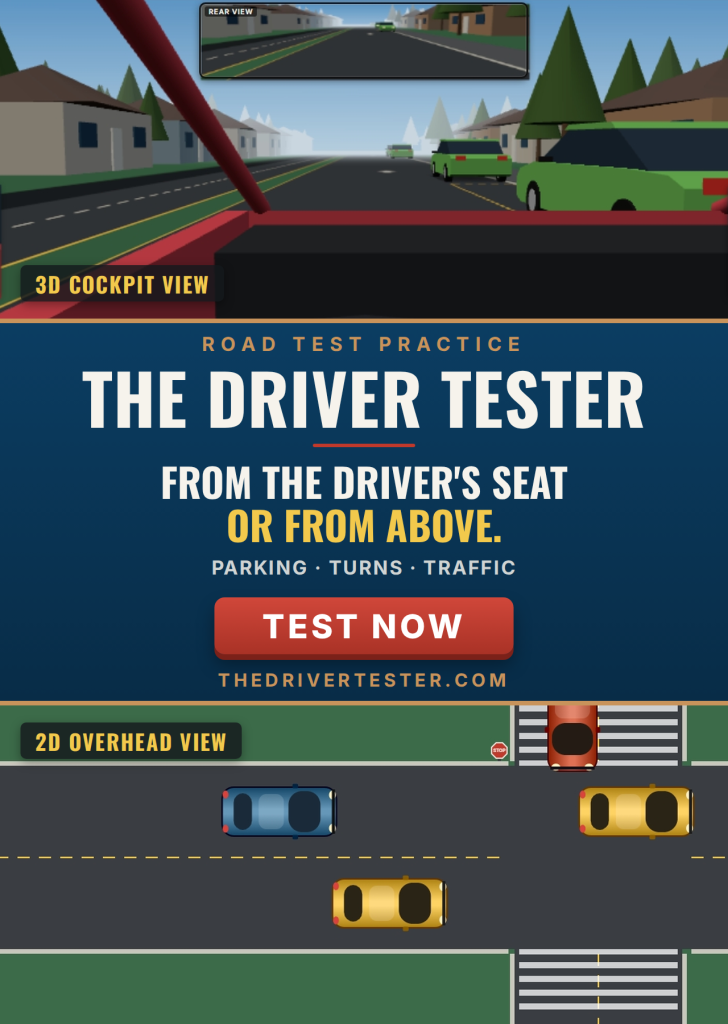
For a lot of new drivers, the road test is the most nerve-racking fifteen minutes of the whole process, and parallel parking is the part they dread most. The Driver Tester is a free browser simulator for practicing the maneuvers an examiner actually grades, as many times as you like, before the day that counts.

What’s new (October 17, 2026): more realistic steering, stricter and more realistic Parallel Parking rules, parked cars and other obstacles that are solid, fairer fault counting, personal bests in every scenario, Replay Last Park and Replay Last Turnaround, and path lines in the 2D view when you reverse. Details below.

Seven scenarios, three vehicles

There are seven scenarios: Parallel Parking, Three-Point Turn, Turns in Traffic, Driving in Traffic, Slippery When Wet, Changing Lanes and Defensive Driving.

Before you drive, pick a Small Car, an SUV or a Small Pickup. Each has its own length, width and wheelbase, so each turns differently, and a bigger vehicle makes the same curbside space noticeably harder to hit.

A real instrument panel

This isn’t a simple go/stop toggle. You start the ignition, let the engine settle at idle, and shift into D, N or R. Try to shift while rolling, or while revving above 1,500 RPM, and the dashboard warns you instead of grinding the gears. The steering wheel is three turns lock-to-lock, and the gas and brake pedals are proportional. Keyboard, mouse and game controllers all work.

The car now steers like a real one. It turns about its rear wheels, so the front swings wide and the rear follows a tighter line inside the turn. That’s the front corner you have to watch when you pull out of a parking space, and the rear wheel that cuts in when you turn into one.

Now You’re Actually in the Driver’s Seat

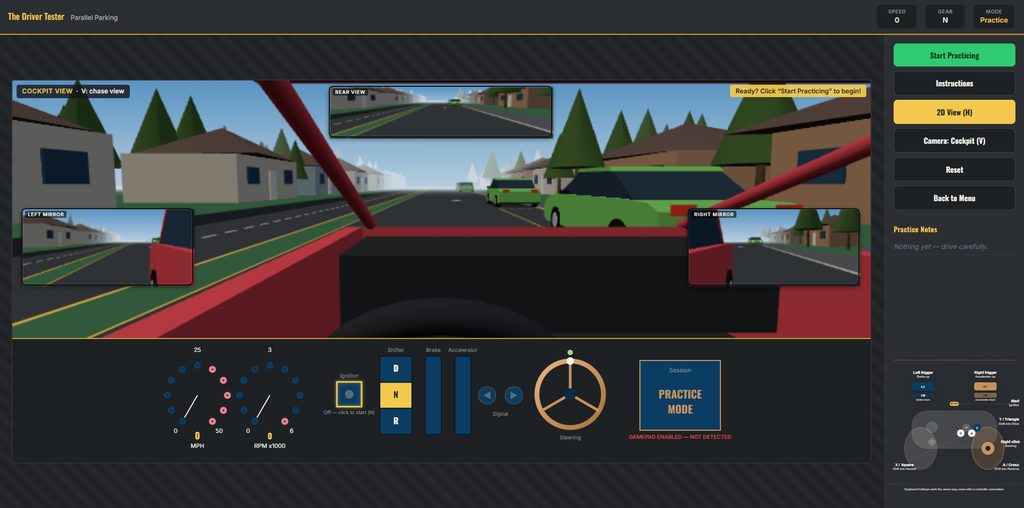
Every scenario now opens in a full 3D view from behind the wheel, with the same mirrors you’d be checking on a real road test.

  • Mirrors that work. A live rear-view mirror sits at the top of the windshield, and both side mirrors show what’s beside and behind you, including a sliver of your own car so you can judge distance the way you would for real.
  • A backup camera in Reverse. Shift into R and a backup camera appears on the dash, with guide lines that bend as you turn the wheel to show where the car is headed. It’s a huge help in Parallel Parking and the Three-Point Turn, where knowing which way to turn while backing is half the battle.
  • Shoulder checks. Hold A or F to glance out the side windows (it springs back when you let go), or drag the view to look around. Checking your blind spot before a lane change is now something you actually do.
  • Your car, your cockpit. The Small Car, SUV, and Small Pickup each get their own cab and seat height, and the steering wheel turns with yours.
  • The whole scene in 3D. Parked cars, traffic, stop signs, traffic lights (with the live signal lit), the SLIPPERY signs, the pedestrian, and a braking car’s brake lights all appear in 3D, on the same road you’d see from above.

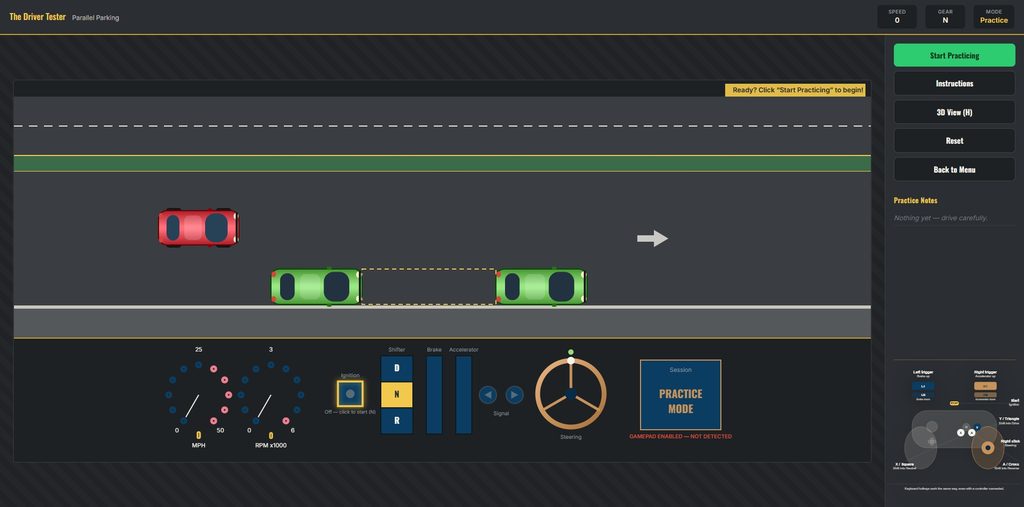
Press V to switch between the cockpit and a chase camera behind the car, and press H any time to go back to the classic overhead 2D view. On a controller, the View button switches between 3D and 2D, B changes the camera, and the left stick looks around.

In the 2D view, Parallel Parking and the Three-Point Turn now show colored path lines when you shift into Reverse: green near, then amber, then red, tracing where your rear corners will go with the wheel where it is. They’re the 2D version of the backup camera’s guide lines.

Think you’ve still got it? Pick your vehicle and find out.

How Scoring Works in The Driver Tester

Every scenario in The Driver Tester runs the same way: one continuous five-minute session, and the question is simply how many points can you score before the clock runs out? You need 100 cumulative points to pass, the same threshold in all seven scenarios. One clean maneuver is worth up to 100 points on its own, so a single perfect park passes outright, and several decent ones can add up to it too.

The five-minute clock only starts once you click the start button (Start Practicing, Start Driving, or Start this Turn), so starting the engine and getting settled beforehand doesn’t cost you any time.

The basic idea: faults live, each maneuver scored on the spot

  • Faults are taken off the moment they happen and show up in a live fault log.
  • Each maneuver is scored automatically when you finish it. There’s no button to press.
  • Your live score is the running total of faults and maneuver scores, and it never goes below 0.
  • Every scenario uses a four-part breakdown (completion, precision, positioning and efficiency), adapted to that maneuver.

Parallel Parking

Reverse into a curbside space between two parked cars. Each park is scored the moment you’re fully in the space and stopped; pull back out and park again to score again.

A park now only counts if you back in, as on a real road test (pulling in nose-first doesn’t count), and if the whole car ends up between the two ends of the space. Pulling forward a little to straighten up afterwards is fine. To score another park, pull out and back in again.

Scored onPoints
Backed fully into the space (all four corners between its ends), touching nothing+40
Aligned with the curb (within 8° / 18°)+20 / +10
Good / acceptable distance from the curb+20 / +10
3 or fewer / 5 or fewer direction changes+20 / +10
Each collision with a parked car−15
Each curb strike, and each time you leave the roadway−10

Three-Point Turn

Reverse direction on a narrow residential street. It’s deliberately too tight for any vehicle’s turning radius, so you have to reverse at least once. Each turnaround scores the moment you’re facing the other way.

Scored onPoints
Facing roughly the opposite way (within 30° of 180°), back on the road, no faults+40
Within 8° / 18° of exactly 180°+20 / +10
Well / reasonably centered, not hugging a curb+20 / +10
2 or fewer / 4 or fewer direction changes (2 is a textbook three-point turn)+20 / +10
Hitting the mailbox−15
Each curb strike−10

Turns in Traffic

Judge a safe gap in oncoming traffic and turn left at a signalized intersection. Each turn scores the moment you’ve cleared the intersection into the cross street.

Scored onPoints
Facing roughly north (within 30°), in the cross street, no collision, didn’t enter on red+40
Facing squarely / roughly north (8° / 18°)+20 / +10
Landed cleanly / reasonably centered in the correct lane+20 / +10
Gap of 3.0+ / 1.5+ seconds, judged at the centerline+20 / +10
Colliding with oncoming traffic (sends you back to the start)−40
Entering on red (also cancels that turn’s +40)−15
Leaving the roadway−10

Driving in Traffic

A continuous drive rather than a single maneuver: keep your distance and hold your lane. Each lap of the road is scored as you complete it.

Scored onPoints
Lap completed without a serious incident+40
Centered / mostly steady in your lane, averaged over the lap+30 / +15
Clean / mostly clean following distance (no tailgating faults / 2 or fewer)+30 / +15
Colliding with another car (the next lap restarts from the start line)−40
Hitting the stopped car at the cross-street stop sign−15
Leaving the roadway−10
Following too closely (logged periodically while you keep tailgating)−10

Slippery When Wet

The same drive as Driving in Traffic, with the same scoring, on a road with three wet patches that cut your tires’ grip. There’s no separate “wet patch” score: the patches just make it easier to slide off the road, close up on the car ahead, or hit someone, and a clean lap correspondingly harder to bank. Slow down before the SLIPPERY signs.

Changing Lanes

Signal, pick a gap, and move over. Each lane change scores the moment you’ve settled, driving straight again, in the new lane. Change your mind halfway and swing back, and nothing is scored or penalized.

Scored onPoints
Correct signal at least half a second early and a fault-free change / a clean change without a timely signal+40 / +10
Gap of 3.0+ / 1.5+ seconds in the target lane+20 / +10
Settled centered / reasonably centered+20 / +10
Crossed in 1.2 seconds or less / 2.5 seconds or less+20 / +10
Colliding with a moving car (sends you back to the start)−40
Hitting the stopped car at the stop sign−15
Leaving the roadway, following too closely, or lingering over the lane line for more than 3 seconds−10

Defensive Driving

Drive normally, and every 12 to 25 seconds something goes wrong: the car ahead brake-checks you, a pedestrian darts off the shoulder into your lane, or the car at the stop sign pulls out in front of you. Each of these opens a six-second reaction window, and your reaction is scored when it closes.

Scored onPoints
Reacted without a fault / with one+40 / +15
Safe (3.0+ s) / workable (1.5+ s) following gap when the hazard began+20 / +10
Peak braking 60% or less / under 90%+20 / +10
Swerved into a safe / workable gap (+20 if you never left your lane)+20 / +10
Striking the pedestrian (sends you back to the start)−80
Colliding with a moving car, including the stop-sign car after it pulls out−40
Bumping the stop-sign car while it waits−15
Leaving the roadway or following too closely−10

A couple of things worth knowing

  • Staying in contact with something (a curb, a parked car) logs one fault, not one every instant. Touching the same thing again only costs another fault once you’ve been clear of it for half a second, so creeping up against a bumper doesn’t pile up faults.
  • Solid things stop you. Parked cars, the mailbox and the stopped car at the cross street are solid now. Touching one costs the fault and stops your car where it was, instead of letting you push through.
  • Direction changes are any switch between D and R. Going through Neutral doesn’t hide one: D to N to R counts the same as D to R.
  • Collisions are now checked exactly, so two cars meeting corner-to-corner can’t slip through each other.
  • Hitting moving traffic doesn’t end the session. It costs points, sends you back to the start line, and voids the maneuver you were in the middle of.
  • Running out the clock isn’t a fault. Your total at that moment is your final score.
  • Pausing freezes the clock, the traffic and the scoring. Switching to another tab or window pauses the session for you and releases any keys you were holding, so the car can’t keep steering or accelerating while you’re away.

Personal bests and replays

Your best session score and your best single maneuver (park, turnaround, turn, lap, lane change or reaction) are saved for each scenario and vehicle. They’re shown on the result card and on the setup page, and the fault log tells you the moment you beat one. They’re stored only in your own browser.

In Parallel Parking and the Three-Point Turn, a Replay Last Park or Replay Last Turnaround button appears after each scored attempt. It plays the run-up back at double speed in either view, then puts your car back exactly where it was. The clock doesn’t run while it plays, and Esc stops it.

Practice Mode

Want to learn without the pressure? Turn Timer & Scoring off on the setup page for Practice Mode: no clock and no score. Faults and maneuvers still show up in the log as notes, so you can see what you’d have been marked on.

For the real-world side of each maneuver, the guide and the articles cover parallel parking, three-point turns, lane changes, left turns, following distance, wet roads and the most common reasons people fail.

Pick your vehicle, check your mirrors, and see if you’d pass. No download required.

Please email your questions or comments to theboatdocker@gmail.com
Back it in Like a Pro: The New Trailer Parker

Backing a trailer into a tight space looks easy until you’re the one behind the wheel. The trailer goes the opposite way you expect, the angle gets away from you, and there’s always someone watching. The Trailer Parker lets you learn it where nobody’s watching and nothing gets dented. It’s free and runs in your browser, with nothing to download.

Watch It Done First

Not sure where to start? Press Watch Auto-Park and the simulator backs the rig in for you, from the start line to a perfect park. Captions explain each move as it happens: pull forward and set up, stop and shift into Reverse, turn the wheel the opposite way to where you want the trailer to go, follow the trailer, straighten the wheel, and stop with the whole trailer inside the lines. You can watch it from the driver’s seat with the mirrors and backup camera, or from overhead.

There’s a demo for nearly every combination of lot, trailer weight and trailer length, and every one ends in a 100-point park. Auto-Park never counts toward your score. It’s there before you start a session, and any time in Practice Mode. Press Esc to stop it and take the wheel yourself.

Practice Where You Actually Tow

There are now 12 lots, and two of them are new:

  • Standard Lot, the forgiving one to learn on, plus the North Row and South Row layouts
  • Lot with Bollards, with fixed posts lining the space
  • Pedestrian Crossing, where a pedestrian walks the lot. Click anywhere to send them walking there, in either view
  • Slow, Medium and Fast Moving Traffic, with a vehicle driving through the lot at one of three speeds
  • Obstacle Course: a slalom of four cones, a two-cone gate wide enough for the heavy rig, then a bay against the far curb to back into between two cones, with a jogger crossing partway along
  • Boat Ramp: drive past the launch ramp along the shore, then back the trailer straight down it between the curb and the courtesy dock, with water in both views
  • Driveway off a Narrow Street: back off a street lined with parked cars into a driveway between two lawns, with a mailbox at its edge
  • Hitch Up & Park: the trailer starts parked on its own, unhitched. Drive past it, back the hitch ball under the coupler, hitch up, then tow it over and back it into a bay

Every lot is the same size and shape on every screen, so a park on your phone counts the same as a park on a big monitor.

Pick Your Rig, Then Hitch It Up

Choose a Light utility trailer, a Medium car hauler or a Heavy boat hauler. The heavier the load, the slower the rig speeds up and stops. New this time: choose the trailer’s length separately, Short, Standard or Long. Length is what really changes how a trailer backs up. A short trailer swings quickly and jackknifes easily, while a long one reacts slowly, which makes it easier to learn on.

The physics are more realistic too. The truck turns around its rear axle like a real pickup, with a realistic turning circle, and the trailer follows the hitch ball behind it. The trailer can hit things now, not just the truck, so watch its corners. Let the angle between truck and trailer get past 70 degrees and the trailer jams against the truck. You’ll have to pull forward to straighten out, just like in real life.

You can also hitch and unhitch. Stop, press Unhitch (or U), and the trailer stays where it is while you drive the truck away. To hitch back up, back the hitch ball under the coupler. The overhead view shows how far off you are, front to back and side to side, and in 3D the backup camera switches to a hitch camera on the tailgate. Get within six inches, stop, and press Hitch. Bump the trailer on the way in and it costs you points, which is cheaper than a dented tailgate.

In the Cab, or From Above

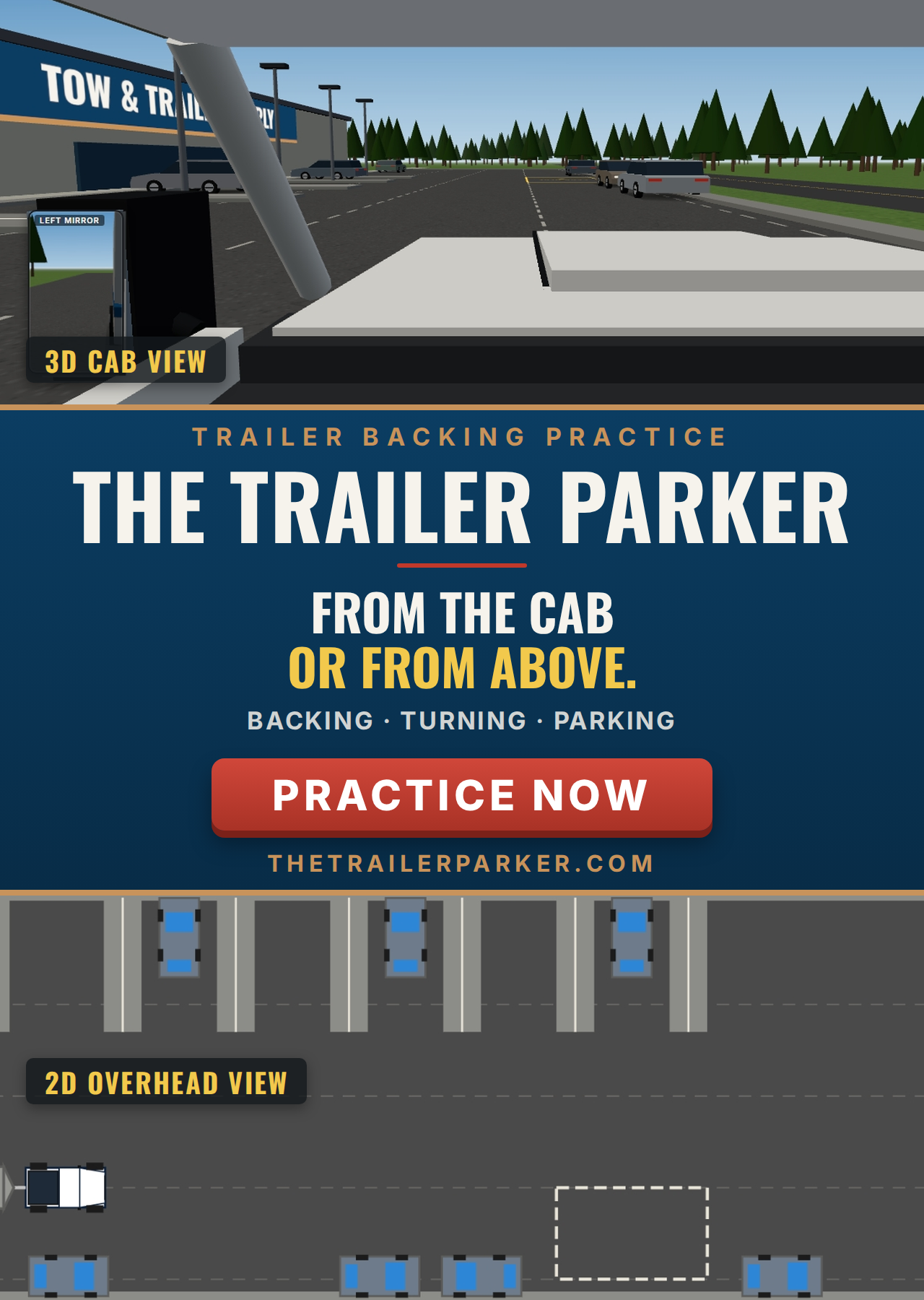
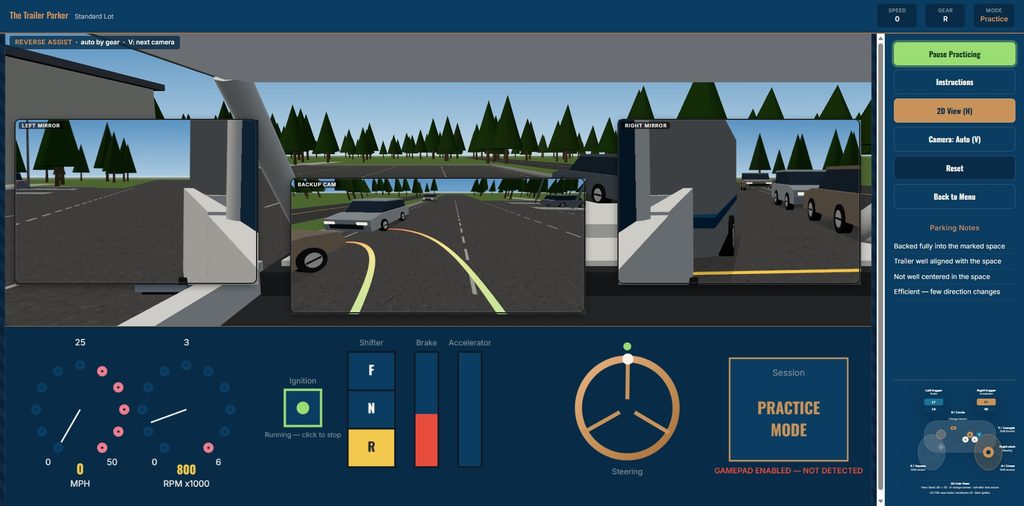
The 3D cab view puts you in the driver’s seat, and the camera follows the shifter. In Forward you’re looking over the hood. Shift to Reverse and the side mirrors grow into big live views, while a backup camera on the back of the trailer shows colored lines tracing where its rear corners will go if you keep the wheel where it is. Press V to cycle through the cab, reverse assist, a full-screen backup camera and a drone view above the rig.

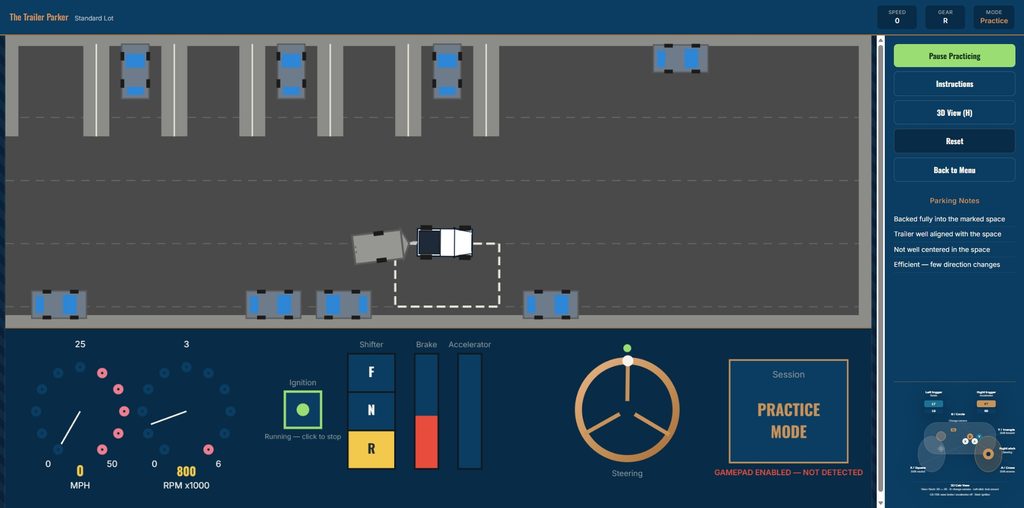
Prefer the overhead view? Press H. The 2D view now has its own hitch-angle gauge, the same path lines in Reverse, and the same amber and red warnings as the cab view: steer back toward the trailer, or stop and pull forward. Many people learn fastest in 2D, then switch to the mirrors once it clicks. A game controller works too.

The 3D cab view puts you in the driver’s seat, and the camera follows the shifter. In Forward you’re looking over the hood. Shift to Reverse and the side mirrors grow into big live views, while a backup camera on the back of the trailer shows colored lines tracing where its rear corners will go if you keep the wheel where it is. Press V to cycle through the cab, reverse assist, a full-screen backup camera and a drone view above the rig.

Prefer the overhead view? Press H. The 2D view now has its own hitch-angle gauge, the same path lines in Reverse, and the same amber and red warnings as the cab view: steer back toward the trailer, or stop and pull forward. Many people learn fastest in 2D, then switch to the mirrors once it clicks. A game controller works too.

The camera follows your shifter, because backing a trailer is a different job from driving forward. In Forward you sit in the driver’s seat looking over the hood, with a live side mirror showing the trailer. Shift into Reverse and both side mirrors grow into big live views, while a backup camera on the trailer’s rear appears on the dash.

The backup camera now shows a normal view, as if you’d turned around to look out the back, so parked cars sit on their true side.

The physics are more realistic too. The truck turns about its rear axle and the trailer is pulled by the hitch ball itself, so the rig needs a wider turn than before, just like a real one.

Guide lines and warnings

Colored guide lines (green near, amber, red far) show where the trailer’s rear corners will go if you keep the wheel where it is. A hitch-angle warning tells you when the trailer is folding too sharply: amber first, then a red JACKKNIFE alert.

At 70° the trailer jams against the truck. The rig stops, it costs 15 points, and only pulling forward straightens it out.

The 2D overhead view now has the same aids: a hitch-angle gauge in the corner and, in Reverse, the predicted path of the trailer’s rear corners.

Knowing when you’re parked

The marked space lights up green once the trailer is in it, straight, and stopped. “In it” now means the whole trailer, all four corners inside the lines. The space is also drawn in the 2D view.

A park only counts if you backed the trailer in: it has to enter the space in Reverse. Driving in forward and tapping Reverse doesn’t count.

Hitching and unhitching

Press Unhitch in the sidebar (or U) while stopped to leave the trailer where it is and drive the truck on its own. To hitch up again, back the truck until the hitch ball is under the coupler, within six inches and lined up within 30°. Then stop and press Hitch. The 2D view shows the coupler, the ball and the distance between them, and in 3D the backup camera becomes a tailgate hitch camera. While you’re unhitched nothing scores, and bumping your own trailer costs 10 points. The new Hitch Up & Park lot starts you unhitched.

Watch it done first: Auto-Park

Not sure how to start? Press Watch Auto-Park in the sidebar before you click Start Practicing, or any time in Practice Mode. It backs the rig in from the start line for the lot, weight and length you picked, with captions for each step: pull past to set up, shift while stopped, turn the wheel opposite to where you want the trailer to go, follow the trailer, straighten the wheel, and stop inside the lines. It never scores, and Esc stops it. Demos are available for almost every setup. The exceptions are the Hitch Up & Park lot, and the Boat Ramp with a Heavy, Long trailer, which can’t be backed down that ramp without a near-jackknife.

Replay and personal bests

After a park scores, Replay Last Park plays the run-up back at double speed in either view, then hands the rig back exactly where it was. Your best session score and best single park are saved for every combination of lot, weight and length, and shown on the result card and the Setup page.

Controls

The wheel is a three-turn, lock-to-lock wheel, and you can shift between Forward, Neutral and Reverse only once stopped. Mouse, keyboard and game controllers all work.

  • V cycles the cameras: cab view, reverse assist, full-screen backup camera, and an overhead drone view of the whole rig
  • Hold A or D to glance out the side windows
  • H switches between 3D and the classic 2D view
  • U unhitches and hitches the trailer
  • Esc stops an Auto-Park demo

How Scoring Works

A session lasts five minutes, and you need 100 points to pass. The clock doesn’t start until you press Start Practicing, so start the engine and get settled first.

A park counts when you’ve backed the trailer into the space (driving in forward doesn’t count), it’s lined up within 18 degrees, and you’ve come to a stop. It scores itself, and then you can pull out and park again for more points:

Scored onPoints
The whole trailer inside the lines (all four corners), touching nothing+40
Aligned with the space (within 8° / 18°)+20 / +10
Centered in the space+20 / +10
Few direction changes since the last park (3 or fewer / 5 or fewer). Going Forward to Reverse counts as one change even if you pass through Neutral+20 / +10
Hitch Up & Park only, once per session: hitching up in 2 or fewer / 4 or fewer direction changes+20 / +10

Faults are subtracted live:

FaultPoints
Touching a curb, island or lot boundary−10
Hitting a bollard (or a cone, on the Obstacle Course)−10
Hitting a vehicle−15
Jackknifing the trailer (hitch angle reaches 70°)−15
Bumping your own trailer while unhitched−10
Striking the pedestrian (or the jogger, on the Obstacle Course)−40

Each fault type only logs once per new contact, so leaning on an obstacle doesn’t keep piling up penalties. The trailer can now hit things too, so watch its corners as well as the truck’s.

A perfect park is worth 100 points and passes on its own. Your best session and best single park are saved for each combination of lot, weight and length, and shown on the setup page. After a park, Replay Last Park plays it back at double speed so you can see what went right, or wrong.

Practice Mode

Turn Timer & Scoring off on the Setup page for Practice Mode: no clock and no score, just backing. Auto-Park demos can be watched any time in Practice Mode.

Want to know more before you start? The new guide and articles cover backing up, avoiding jackknifes, boat ramps, driveways, hitching and more.

Before Your Next Trip to the Ramp

If you tow a boat, the Boat Ramp lot with the Heavy trailer is the closest thing to launch day without the audience. For the real-world steps, read Backing a Boat Trailer Down a Ramp, and when you’re back at the dock, The Boat Docker takes it from there.

Try The Trailer Parker: climb in, shift into Reverse, and back it in. No download required.

Please email your questions or comments to theboatdocker@gmail.com
All Aboard! Meet The Train Yarder, Our Newest (and Youngest)

Every simulator we’ve built so far — The Boat Docker, The Trailer Parker, The Drag Car Racer, The Driver Tester — has been for teens and grown-ups learning a real-world skill under pressure. The Train Yarder is different. It’s built for the crew member sitting in the back seat who isn’t old enough to read yet, but already loves watching trains go by.

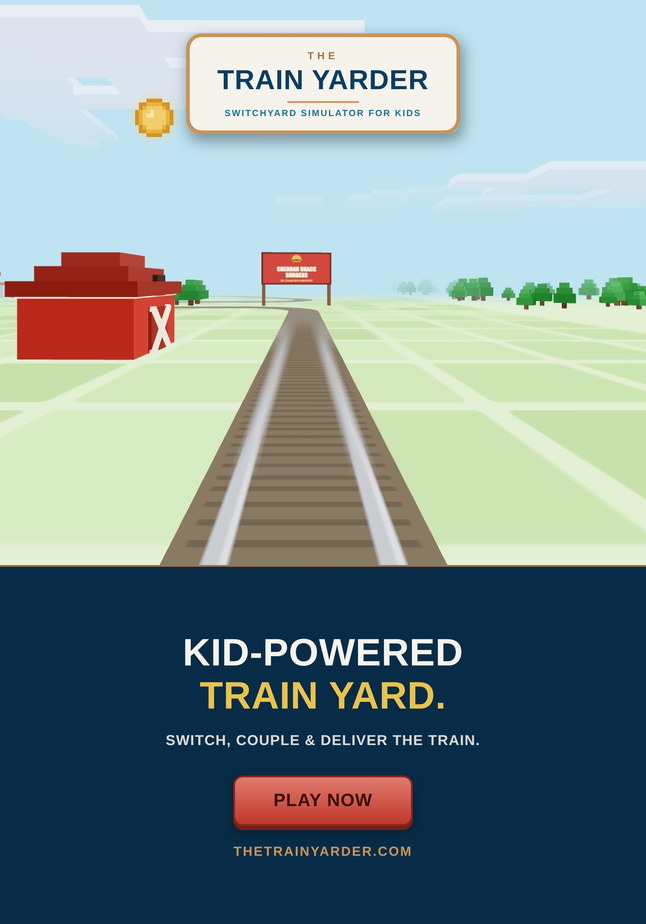
The Train Yarder is a free, browser-based collection of train games for young children. No install, no account, nothing to buy, and no ads — just open it and play. A friendly voice explains what to do, picture buttons stand in for words, and gentle hints step in when something goes wrong, so a child who can’t read a word of it yet can still play on their own.

Six games, each teaching something different

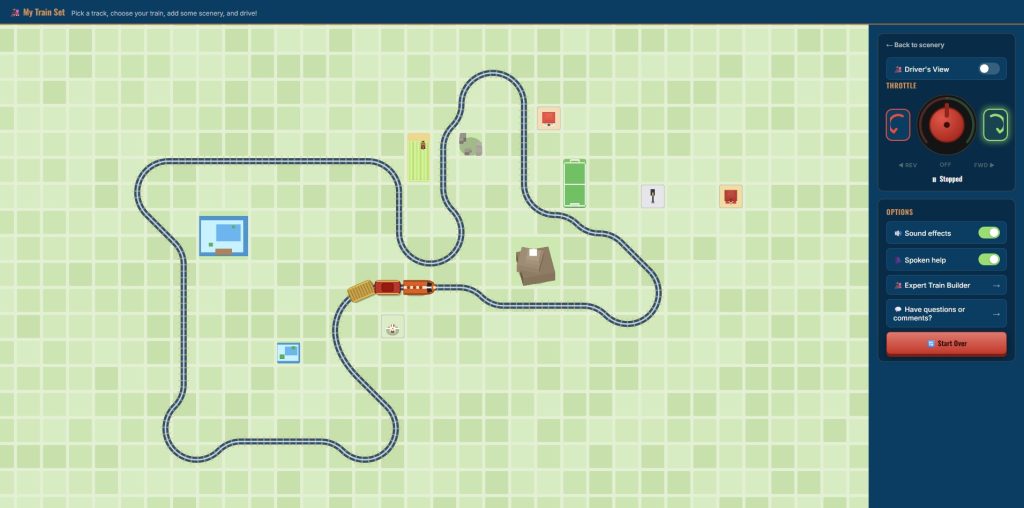
Build Your Track — Pick a ready-made track or build your own, choose a train, add scenery like a barn, a windmill or a water tower, and drive.

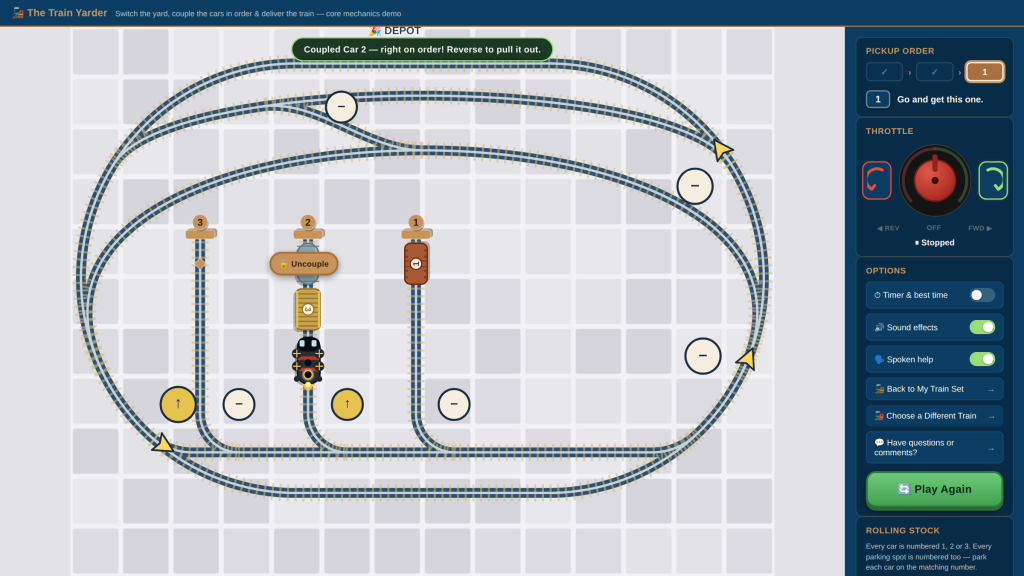
Expert Builder — Work the yard: couple the numbered cars in order and park each one on its matching track, a first taste of the job real switch crews do.

Freight Runner — Load coal at the mine and steel at the mill, then deliver them to the power plant and the factory.

Advanced Freight Runner — Make up your own train in the yard, deliver coal, steel and oil, then park the cars when the run is done.

Passenger Runner — Match each passenger’s hat to the right coach, then carry everyone to their station.

Advanced Passenger Runner — Plan a route through two switches and a siding, and find the shortest way to earn a star.

Stories, for the ride between games

Alongside the games sits a library of read-aloud train stories — true tales about Big Boy, the Golden Spike, Tom Thumb and more — each written for young listeners. These activities encourage parents to join their budding engineers in learning, exploring, and having fun. Every story creates another opportunity to learn and explore together.

For the grown-ups riding along

We also added a For Grown-Ups section: short articles on what kids are actually learning through train play (sorting, sequencing, counting, planning, patience), why trains capture young imaginations, how to play together well, and ways to enjoy trains off the screen too.

No ads, on purpose

Because this one’s for young children, there’s no advertising at all — no in-game purchases, no prompts designed to keep a child playing longer than they want to. All six games work offline once loaded and can be added to a device’s home screen, so it’s ready the next time you’re waiting at a station, a doctor’s office, or the back seat.

The Train Yarder comes from the same small team behind The Boat Docker, The Trailer Parker, The Driver Tester and The Drag Car Racer — just built from the ground up for the smallest hands at the helm.

Have a question, found a problem, or have an idea for a new game or story? Email us at theboatdocker@gmail.com