
 With a little practice, everyone should be able to dock a boat. However, add some wind and water current, and even the most experienced boaters will find docking a boat a real challenge.
Select the wind and water heading and amount at the start menu. Also, select wind gusts / no gusts at the start menu. When “gusts” are on, the actual wind and/or water speed can be as much as 1.5 times the nominal wind and/or water speed. Wind gusts can last for about five seconds.
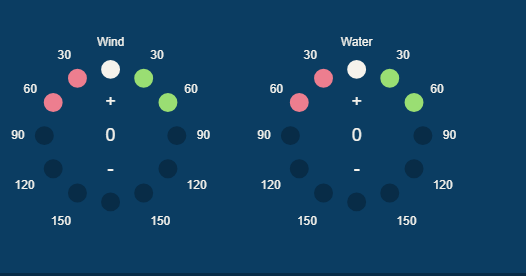
The wind & water heading and amount can also be updated when you are in the simulator. Thanks to Phil’s suggestions, we have added upgraded the wind and water instrumentation. There is now a wind gauge that attempts to emulate a commercial gauge. We added a water gauge (which in reality doesn’t exist) to control the water speed and direction.
We updated the Wind and Water Indicators to improve the user experience. Just click on the + / – symbols to increase / decrease the wind / water speed. Then click on any circle to change the wind / water direction.