
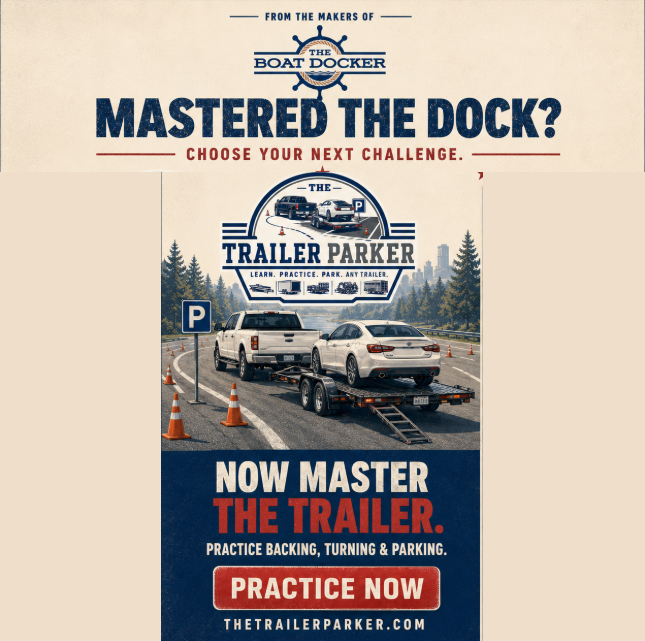
Backing a trailer into a tight space looks easy until you’re the one behind the wheel, watching it swing the wrong way while someone waits. That’s the problem The Trailer Parker solves — a free browser-based simulator for practicing truck-and-trailer backing without denting a fender or blocking traffic.
Start by picking your challenge: nine lot layouts, from a forgiving Standard Lot to a Pedestrian Crossing, a Lot with Bollards, three levels of Moving Traffic, or a full Obstacle Course. Then match your rig to your real-world experience — or make it harder on purpose — with three trailer weights: Light (utility hauler), Medium (car hauler), or Heavy (boat hauler).
Once you’re in the seat, everything behaves like a real vehicle. Turn the ignition, ease onto the throttle, and watch the RPMs climb through a genuine engine model. Steer with a three-turn, lock-to-lock wheel, shift between forward, neutral, and reverse only once stopped, and drive with keyboard, mouse, or a connected game controller.
Every attempt scores itself automatically: up to 100 points for getting fully within the space, staying aligned, centering yourself, and keeping direction changes to a minimum. Bank 100 cumulative points before the five-minute clock runs out, and you’ve passed.
Whether you’re a new driver building confidence or a seasoned trucker looking for a warm-up, The Trailer Parker gives you unlimited attempts and zero real-world consequences. Fire it up and see how many points you can bank.
How Scoring Works in The Trailer Parker
The Trailer Parker runs on a different rhythm than a single graded maneuver: you get one continuous five-minute session, and the question is simply how many points can you back in before the clock runs out? You need 100 cumulative points to pass, and nothing stops you from backing in, pulling out, and doing it again as many times as there’s time for — every completed park adds to your running total.
The basic idea: faults live, each completed park scored on the spot
Like the shared scoring engine, this comes down to two kinds of events:
Faults get deducted the moment you make them. Clip a curb or island, knock over a bollard (or a cone, on the Obstacle Course), collide with a parked or moving vehicle, or strike the pedestrian — the points come off immediately and show up in your fault log in real time.
A completed park gets scored automatically, the instant you finish one. There’s no “Grade My Attempt” button to click mid-session — the moment the trailer is fully within the marked space, aligned to it, and essentially stopped, checkAttemptCompletion() recognizes it and banks the points right then. You keep driving afterward; pull back out and park again and it scores again.
Your live score is the running sum of every fault and every completed park’s bonus so far, floored at 0. When the five minutes are up, that cumulative total is your final score.
Scoring a completed park: 40/20/20/20
Every time you finish a park, it’s graded on the same four-category breakdown:
- +40 — backed fully into the marked space, with no faults active
- +20 / +10 — trailer well / roughly aligned with the space’s target heading (within 8° / 18°)
- +20 / +10 — well / reasonably centered within the space
- +20 / +10 — did it in 3 or fewer / 5 or fewer direction changes (forward/reverse shifts) since your last completed park
Pull out and go again, and the direction-change count resets — so lining up a second (or third, or fourth) park cleanly is scored fresh each time, independent of how the last one went.
Faults
These apply live, throughout the whole session, regardless of how many parks you’ve completed:
- −10 — hitting a curb, lot boundary, or island
- −10 — striking a bollard (or a cone, on the Obstacle Course)
- −15 — colliding with a vehicle — a parked one, or the moving traffic vehicle on the lots that have it
- −40 — striking the pedestrian (or the jogger, on the Obstacle Course)
Each fault type only logs once per new contact — leaning on an obstacle or resting against a curb doesn’t spam the log every tick, only the moment you first touch it. Any contact also bleeds off your speed, so plowing into something costs you momentum on top of the points.
What changes from lot to lot
The lot you pick (from the Setup page) changes what you’re navigating around, not how scoring works — the fault categories and the 40/20/20/20 park breakdown are identical everywhere:
- North Row / South Row / Standard Lot — straightforward layouts with islands and parked vehicles to navigate between.
- Lot with Bollards — adds fixed posts as an extra obstacle.
- Pedestrian Crossing — a pedestrian wanders the lot (click anywhere to send them walking there), adding a live, less predictable hazard.
- Slow / Medium / Fast Moving Traffic — a vehicle continuously drives through the lot at one of three speeds, on top of the usual parked-vehicle and boundary hazards.
- Obstacle Course — a proper slalom: alternating cones to weave through, finishing with a narrow two-cone gate, plus a jogger crossing partway along. Bollard hits here are logged (and shown) as knocked-over cones instead.
Tow weight (Light/Utility, Medium/Car Hauler, Heavy/Boat Hauler) is a difficulty setting, not a scoring one — a heavier trailer accelerates and brakes more sluggishly, but the point values above don’t change based on what you’re towing.
Ending the session
The five-minute clock only starts once you click “Start Practicing” — warming up the engine and getting oriented beforehand doesn’t cost you any time. Pausing (or the instructions modal auto-pausing for you) freezes everything, faults and the clock included, until you resume. When time runs out, your cumulative score — every fault and every completed park added together — is locked in as your final result, checked against the 100-point pass threshold.
Please email your questions or comments to theboatdocker@gmail.com